
Skip This Line. No lineup required.
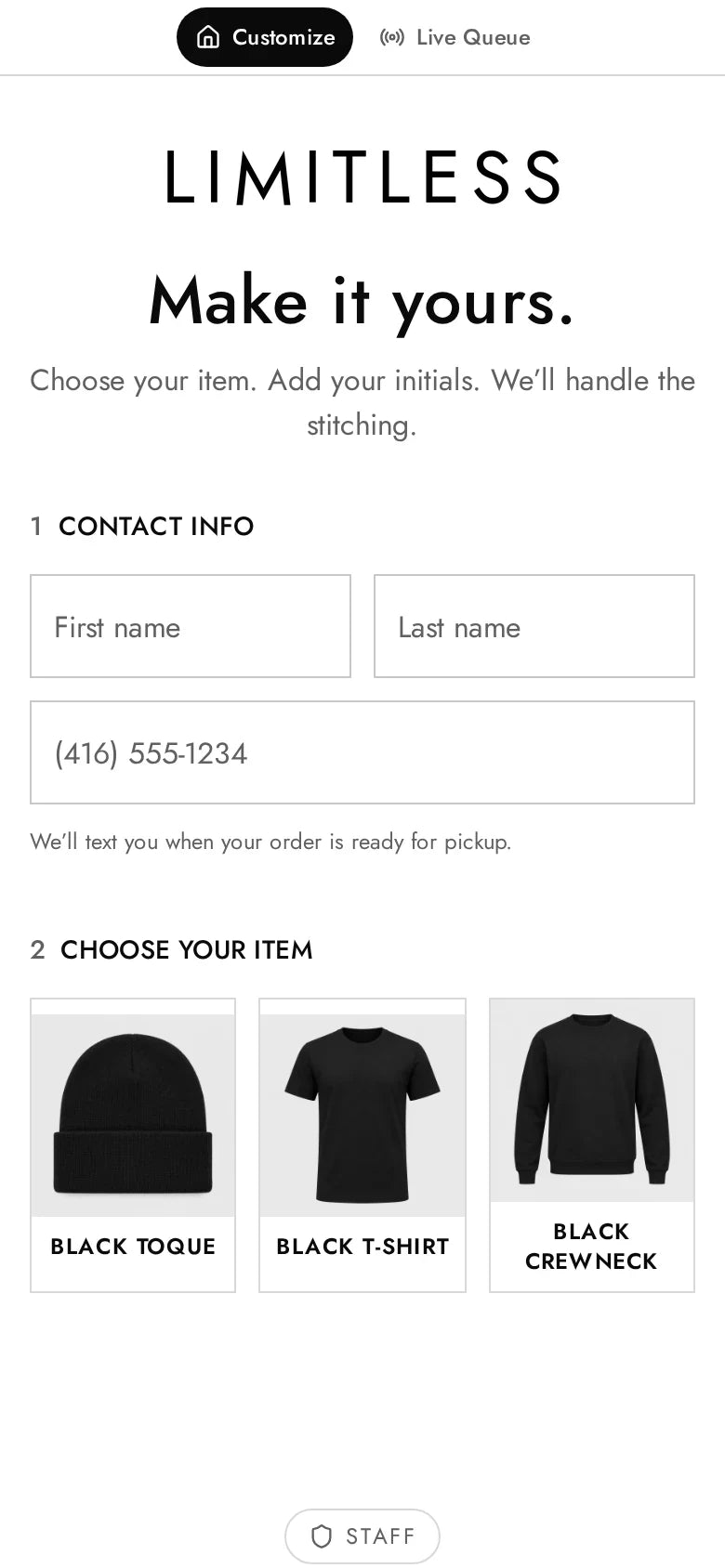
Guests scan a QR code on their phone or order at our standing mobile kiosk, design their merch with a live preview, and head straight back to the event. We make every piece on site and send a text the moment it is ready.

More than 50,000 items customized and tracked across 500+ events.


Three simple steps, and nobody has to stand in line.
Every event gets its own branded version of Skip This Line, so guests can order in a few taps, either on their own phone or at our standing mobile kiosk, and spend the rest of their time enjoying the event.
Scan on their phone
Guests point their camera at the QR code and the order page opens in their browser, with nothing to download.
Or tap at our standing mobile kiosk
Guests who would rather not use their phone can place their order on the large touchscreen of our standing mobile kiosk, right at the booth.
See it in 3D before you order.
Some experiences include a live 3D preview, so guests can spin their design around and check every side before they submit.
They drag the piece in any direction, flip between the front and the back, and approve exactly how it will look before it goes into production.
-
01
Scan or tap
Guests scan the QR code at the booth to open the branded order page in their phone’s browser, or they walk up to our standing mobile kiosk and order right on its touchscreen. There is no app to download and no line to wait in just to tell someone what they want.
Scan to customizePoint your camera at the code
-
02
Customize
They choose their item and make it their own step by step, with a live preview of colours, designs, placements, initials, fonts and thread colours. Anything that has sold out is clearly labelled, so guests only see choices they can actually get.
-
03
Get a text
As soon as they submit, guests get a text with a private tracking link that follows their order from In Queue to In Production to Ready. A second text lets them know when to come back, so the wait is spent enjoying the event.
LimitlessTodayYour embroidery order has been received! ✨ Track it here:
Track your order- In Queue
- In Production
- Ready
Your order is ready for pickup! Head back to the booth.
Design a piece the way your guests will.
This demo uses the same items and options as a real embroidery setup on the platform. Change the initials, thread, lettering and placement, and the preview updates instantly.
 KO
KO
Guests spend more time enjoying the event and less time in line.
Guests order on their own phone or at our standing mobile kiosk, get a text when their piece is ready, and spend the wait doing what they came for instead of standing in a lineup.
50,000+
items customized and tracked.
500+
events with zero lineups.

Behind the booth, a few simple tools keep every order moving so guests never have to wonder where theirs is.
- 01
Staff sign in with a code sent to their phone and see every order on a live board, with one-tap status updates and front and back production previews.
- 02
Each order prints a 4x2 QR label and a build sheet that are laid out so the maker can read every choice at a glance.
- 03
Inventory is tracked by product, colour and size, and options switch to sold out automatically when stock runs out.
- 04
A whole event look can be swapped in minutes from saved themes, and the platform is designed to cope with weak event Wi-Fi.
Every guest leaves with something made just for them.
Each experience on Skip This Line has its own products, artwork and personalization options. These are some of the pieces guests have designed at events we have built, from airbrushed basketballs to engraved tumblers.


Let’s take the line out of your next event.
Tell us about your event and what you would like your guests to make. We will plan the products, the personalization and the setup with you, including QR ordering on guests’ phones and our standing mobile kiosk, so your guests spend their time enjoying the event instead of waiting in line.
- Phone
- 416-548-8810
- Website
- skipthisline.ca